We make Pop Quiz, so it’s on this list with its weak points spelled out like everyone else’s. Each tool is judged on the free plan’s limits, the upgrade price, whether it works with your slides, and the catch.
Kahoot alternatives compared #
| Tool | Best for | Free plan | Paid plans from | Works with Google Slides? |
|---|---|---|---|---|
| Pop Quiz | A live quiz inside your own Google Slides deck | Free, up to 150 players, no account for host or players | No paid plan | Yes: the quiz runs on your own slides |
| Slido | Polls and Q&A in meetings and all-hands | Up to 100 participants, 3 polls and 1 quiz per slido | AU$19.50 a month, billed yearly | Yes, on the free plan |
| Mentimeter | Workshops and polished interactive talks | 50 participants a month, or unlimited once a month | €14 per presenter a month, billed yearly | Import (Basic) or embed (Pro), presented from Mentimeter |
| AhaSlides | Quizzes on a small budget | 50 participants, 5 quiz and 3 poll questions per presentation | US$7.95 a month, billed yearly | Add-on, but presents from AhaSlides |
| Wooclap | Training sessions with lots of question types | 5 questions a month, up to 1,000 participants (per its FAQ) | Basic, billed yearly (price not confirmed) | Yes, with its browser extension |
| Vevox | Free polling and Q&A for a bigger room | Up to 100 participants, unlimited basic polls and quizzes | US$11.95 a month, billed yearly | Yes, with its Google Slides add-on |
| Crowdpurr | A hosted trivia night or event | 20 participants, 15 questions | US$24.99 a month, billed yearly | Not listed |
| Poll Everywhere | Simple polling, especially in PowerPoint | Audience of up to 40 | US$10 a month, billed yearly | Chrome extension, labelled for Poll Everywhere 1.0 |
| Water Cooler Trivia | Remote teams who can’t meet at one time | Four-week free trial | $10 a month for up to 10 people | No: it isn’t a slide tool |
| Kahoot, for reference | The original game-show quiz | 15 participants, 15-minute sessions (360 Express) | US$228 a year for 50 participants | Not covered here |
Prices are as each tool’s own pricing page showed them on 23 October 2026, in its currency (Slido showed Australian dollars from New Zealand, Mentimeter euros). Yours may differ a little.
How to choose a Kahoot alternative for work #
Most “games like Kahoot” lists are written for teachers. A team meeting wants different things, and seven questions settle it.
| Ask | Why it matters | Where to look |
|---|---|---|
| How many people, on the free plan? | 15 is fine for a stand-up, not an all-hands. | 100 free: Slido, Vevox. Up to 150: Pop Quiz. 1,000 (per its FAQ) but 5 questions a month: Wooclap. Crowdpurr stops at 20, Kahoot’s free plan at 15. |
| Who has to sign up? | An email form before the first answer kills the room. | Players join in a phone browser with no download on Pop Quiz, Slido and Vevox. Pop Quiz has no sign-in for the host either. |
| In your deck or a separate app? | Switching tabs mid-talk is the bit that goes wrong. | Inside Google Slides: Pop Quiz (in your deck’s own design), Slido, Vevox, Wooclap. Mentimeter and AhaSlides present from their own app. |
| PowerPoint shop? | Pop Quiz is Google Slides only. | Slido, Vevox, Poll Everywhere or Wooclap. |
| Remote or can’t meet at once? | Every live tool works over a shared screen on Zoom, Google Meet or Teams. | No live session at all: Water Cooler Trivia. Vevox and Wooclap have self-paced modes on paid plans. |
| What’s the budget? | Most paid plans are yearly and per presenter, so one Christmas quiz can mean a year’s subscription. | Zero: Pop Quiz, Slido Basic or Vevox Free. Under US$100 a year: AhaSlides Essential. A weekly quiz you don’t host: Water Cooler Trivia, from $10 a month. |
| Locked-down work laptop? | Company IT can block Chrome extensions and Slides add-ons, Pop Quiz included. | A web app in a browser tab: Mentimeter, Crowdpurr, Vevox. Ask IT before the event, not during it. |
The 9 best Kahoot alternatives for work teams #
Ranked for one job: a live quiz or poll with a work team of 10 to 150 people. Classroom games like Blooket and Gimkit are left out: this list is for work.
1. Pop Quiz
Ours- Best for
- Friday quizzes, onboarding and team meetings where the deck already exists
- Free plan
- Free, up to 150 players a room. No account for players or host, no ads
- Paid from
- No paid plan
- Google Slides
- Yes, drawn on your own slides in your deck’s fonts and colours
The catch. New, so no reviews yet. Presents from Google Chrome on a laptop or desktop, in Google Slides only (import a PowerPoint deck first). Quizzes stay in the Chrome profile you built them in, plus a safety copy in Downloads, with no syncing between laptops yet.
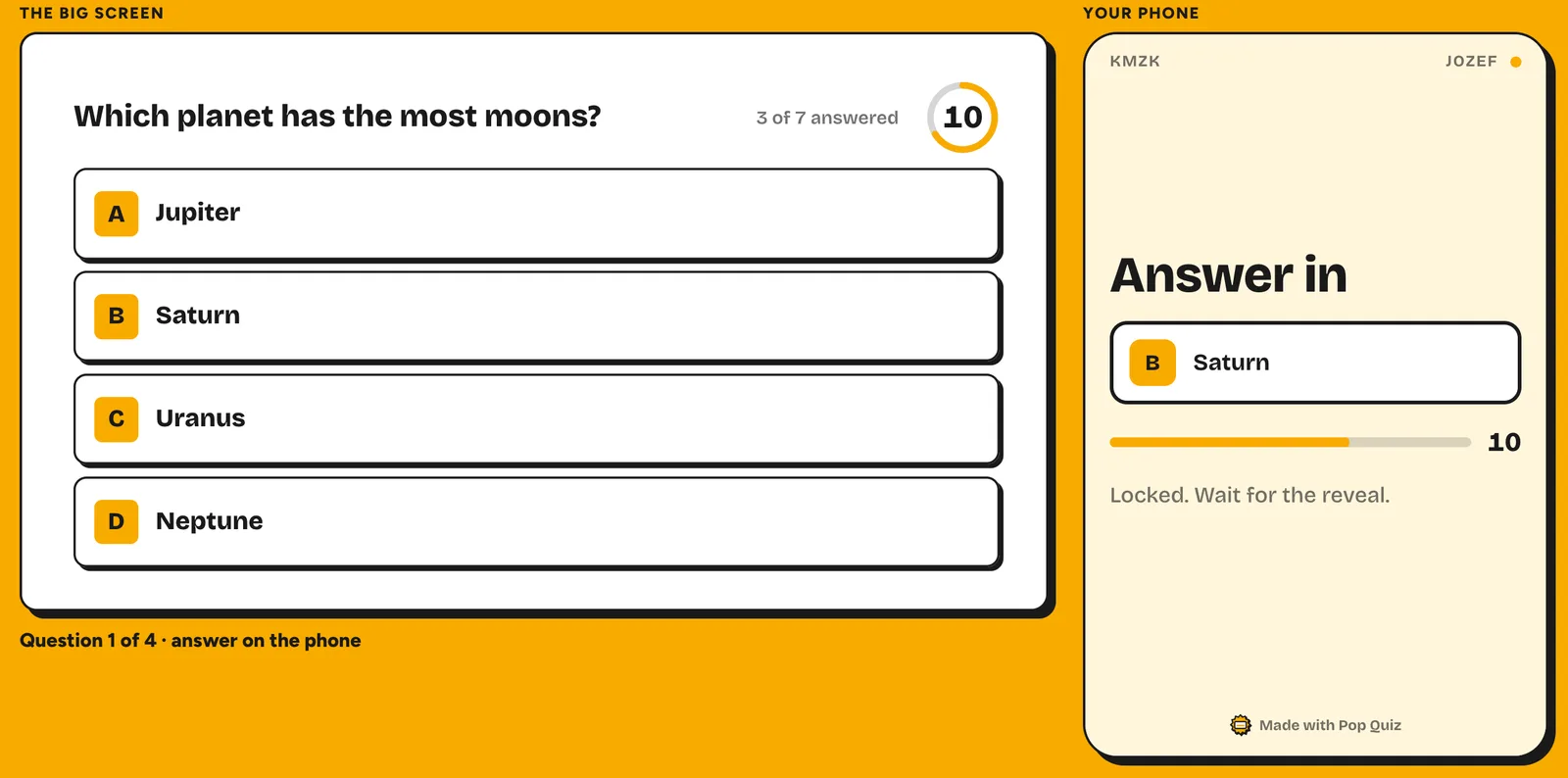
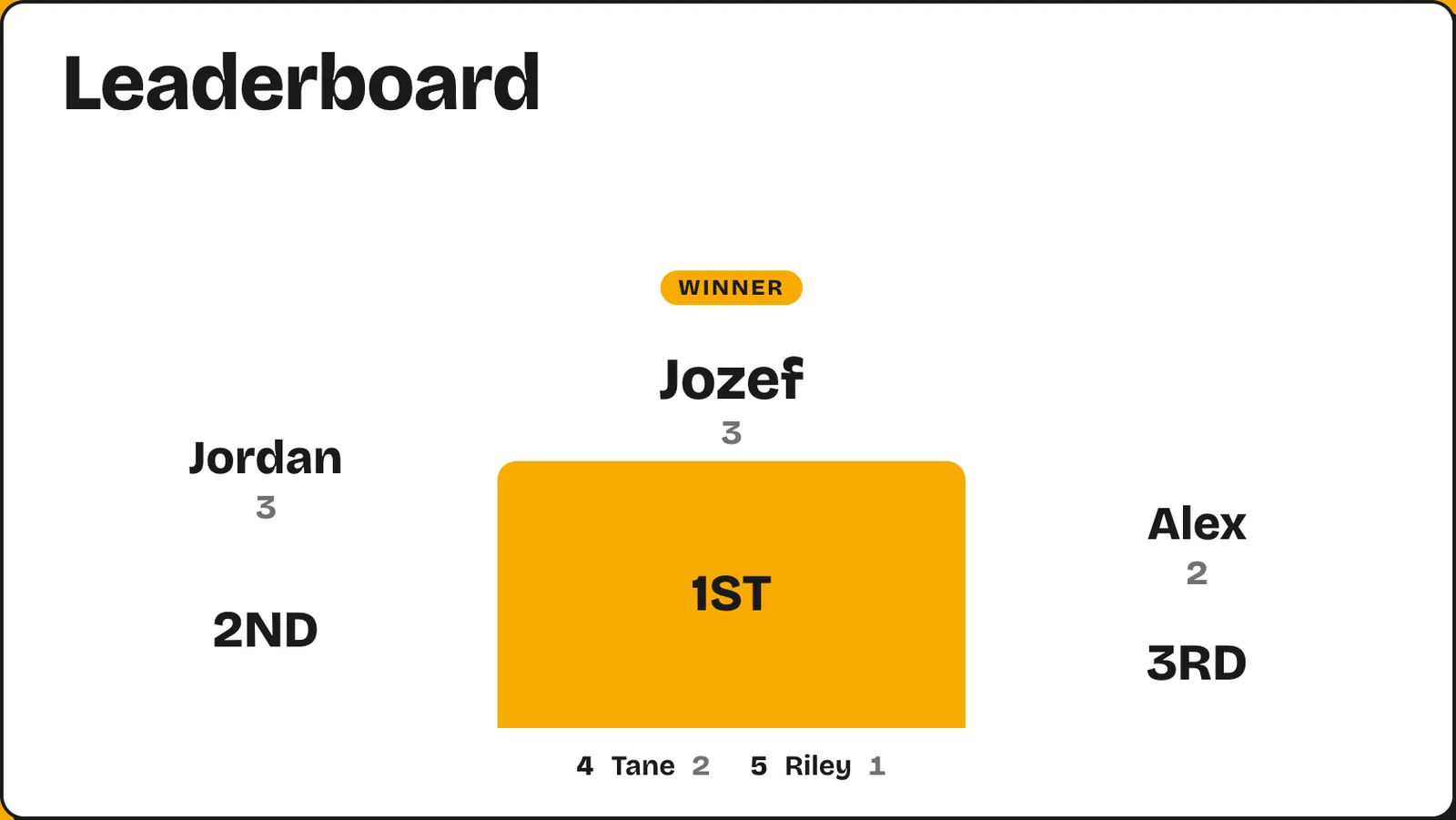
A free Chrome extension that adds eight question types, a join screen and a podium leaderboard to your own deck. Players join on their phones with a QR code or a four-letter room code, and you can rehearse with pretend players first.
2. Slido
Best for polls and Q&A- Best for
- All-hands and town halls, where questions and quick polls beat a scored game
- Free plan
- Basic: up to 100 participants, 3 polls and 1 quiz per slido, Q&A included
- Paid from
- Engage, AU$19.50 a month billed yearly (AU$234), up to 200 participants
- Google Slides
- Yes, on every plan; the poll shows up when you reach its slide
The catch. One quiz per slido suits a warm-up, not a full Friday quiz.
Slido doesn’t take monthly payments. It sells annual plans, and one-time plans for an event of up to 7 days.
3. Mentimeter
Best for workshops- Best for
- Workshops, training and strategy sessions that can live in Mentimeter
- Free plan
- 50 participants a month across all presentations, plus one presentation a month with unlimited participants
- Paid from
- Basic, €14 per presenter a month billed yearly, unlimited participants
- Google Slides
- Not in your deck. Import on Basic, embed on Pro (€28 a month, billed yearly)
The catch. Run more than one session a month with over 50 people and you’ll hit the free cap.
Going over mid-session doesn’t kick anyone out: you get 8 hours to finish. Basic and Pro are billed yearly only.
4. AhaSlides
Best on a small budget- Best for
- Teams who want scored quizzes and will pay a little to lift the limits
- Free plan
- Up to 50 participants; 5 quiz and 3 poll questions per presentation; unlimited presentations
- Paid from
- Essential, US$7.95 a month billed yearly, up to 100 participants
- Google Slides
- Add-on, but it imports the whole deck into AhaSlides to present
The catch. Five quiz questions is a taster, not a quiz night, and people past the participant limit can’t join.
When you present, your other slides become still images, so animations, video and links stop working.
5. Wooclap
Best for training sessions- Best for
- Trainers and L&D teams running sessions with varied question types
- Free plan
- Starter: up to 1,000 participants per event (per Wooclap’s FAQ), 5 questions a month
- Paid from
- Basic, billed yearly (price not confirmed on 23 October), unlimited questions
- Google Slides
- Yes, a Chrome or Firefox extension adds an “Add Wooclap poll” button
The catch. Five questions a month suits a trial, not a weekly quiz.
Each question becomes a slide, and voting opens when you reach it in Slideshow. All Wooclap plans are billed yearly.
6. Vevox
Best free plan for polls and Q&A- Best for
- Bigger meetings that mostly need polls and questions, on a free plan
- Free plan
- Up to 100 participants per session; unlimited basic polls, quizzes and Q&A
- Paid from
- Starter, US$11.95 a month billed yearly (US$143.40), up to 250 participants
- Google Slides
- Yes, a free add-on from the Google Workspace Marketplace
- PowerPoint
- Yes, an add-in
The catch. Speed-scored quizzes need Pro (US$24.95 a month list price), and word clouds, open text and moderated Q&A need a paid plan.
Players join in a browser at vevox.app with no download. The free plan has quizzes and a live leaderboard.
7. Crowdpurr
Best for a hosted trivia event- Best for
- The end-of-year party, a conference social, a big virtual team event
- Free plan
- 20 participants and 15 questions, with Crowdpurr’s logo and sponsor ads
- Paid from
- Classroom, US$24.99 a month billed yearly (US$299.94), or US$49.99 month to month, up to 100 participants
- Google Slides
- Not listed; show it on a screen, or share it in Zoom or Webex
The catch. The free plan fits a small team only.
Live trivia, bingo, polls and social walls with a live leaderboard. Players join in a phone or desktop browser, no app.
8. Poll Everywhere
Best for polls in PowerPoint- Best for
- Quick polls in a PowerPoint-heavy workplace
- Free plan
- Intro: an audience of up to 40, unlimited questions
- Paid from
- Present, US$10 a month billed yearly only (US$120), an audience of up to 700
- Google Slides
- A Chrome extension, labelled by Poll Everywhere’s plans page as for Poll Everywhere 1.0
- PowerPoint
- Yes, on every plan
The catch. Built for polling more than a game-show quiz, and 40 people caps the free plan at a mid-sized team.
9. Water Cooler Trivia
Best for teams who can’t all meet- Best for
- Teams spread across time zones, where one call is the hard part
- Free plan
- A four-week trial, no credit card; no ongoing free plan
- Paid from
- $10 a month for up to 10 people, $25 for 11 to 25, $50 for 26 to 50; annual is 25% cheaper
- Google Slides
- No, it isn’t a presentation tool
The catch. No live moment, so you lose the noise of a room answering at once.
A weekly trivia quiz by email, Slack or Teams. People answer on their own schedule, and the results go out each week.
Why people look for a Kahoot alternative #
Kahoot is very good at what it does. At work, people look elsewhere for practical reasons:
- The free work plan is small. Kahoot! 360 Express runs sessions of up to 15 minutes for up to 15 participants.
- Paid work plans are yearly and per presenter. Pro Start is US$228 a year for up to 50 participants per session, one licence per presenter.
- It’s a separate app. You build the quiz in Kahoot, not in your deck.
- It can feel like school. In our view, that’s the charm for some teams and the reason others want a work tool.
If 15 people and 15 minutes is enough, Kahoot’s free plan may be all you need, and players don’t need an account.
Questions #
What is the best free alternative to Kahoot? #
It depends on the job. Pop Quiz is free for up to 150 players if you present in Google Slides. For polls, Slido’s free plan takes 100 participants with 3 polls and 1 quiz, and Vevox’s takes 100 with unlimited basic polls and quizzes.
Is there a free version of Kahoot anymore? #
Yes. For work, Kahoot! 360 Express is free for sessions of up to 15 minutes with up to 15 participants. Bigger groups need a paid plan, from US$228 a year for up to 50 participants (Pro Start).
Is there a Kahoot for adults? #
Kahoot itself works for adults. For a full office quiz, Pop Quiz and Crowdpurr fit well; for a weekly quiz in Slack or Teams, Water Cooler Trivia.
Can I run a Kahoot-style quiz inside Google Slides? #
Yes. Pop Quiz adds scored questions, a timer and a leaderboard to your own deck, and players answer on their phones. Slido and Wooclap also add questions to Google Slides, through an add-on or an extension.
Do players need an app or an account? #
Not for the live tools we checked. Pop Quiz players scan a QR code or type a room code, then a nickname; Slido and Vevox run in the phone’s browser with no download. Kahoot doesn’t need a player account either.
Can we play over Zoom, Google Meet or Teams? #
Yes. Share your screen on the call and everyone plays on their own phone, with Pop Quiz or any live tool here. Water Cooler Trivia doesn’t need a call at all.
Sources
- Kahoot! 360 pricing and Kahoot! 360 Express, checked 23 October 2026
- Slido pricing and Google Slides polling, checked 23 October 2026
- Mentimeter plans and free account help, checked 23 October 2026
- AhaSlides pricing and Google Slides add-on help, checked 23 October 2026
- Wooclap business pricing and Google Slides help, checked 23 October 2026
- Vevox business pricing and Google Workspace Marketplace listing, checked 23 October 2026
- Crowdpurr pricing and home page, checked 23 October 2026
- Poll Everywhere plans and Google Slides, checked 23 October 2026
- Water Cooler Trivia pricing and home page, checked 23 October 2026
Kahoot, Slido, Mentimeter, AhaSlides, Wooclap, Vevox, Crowdpurr, Poll Everywhere and Water Cooler Trivia are trademarks of their owners. Pop Quiz is not affiliated with any of them, or with Google. Plans change: prices and limits above were checked on 23 October 2026 on each tool’s own pricing page. If one has changed, tell us and we’ll fix it.